
In the test: Huion Note X10 Digital Notebook – Paper notes conveniently converted to digital

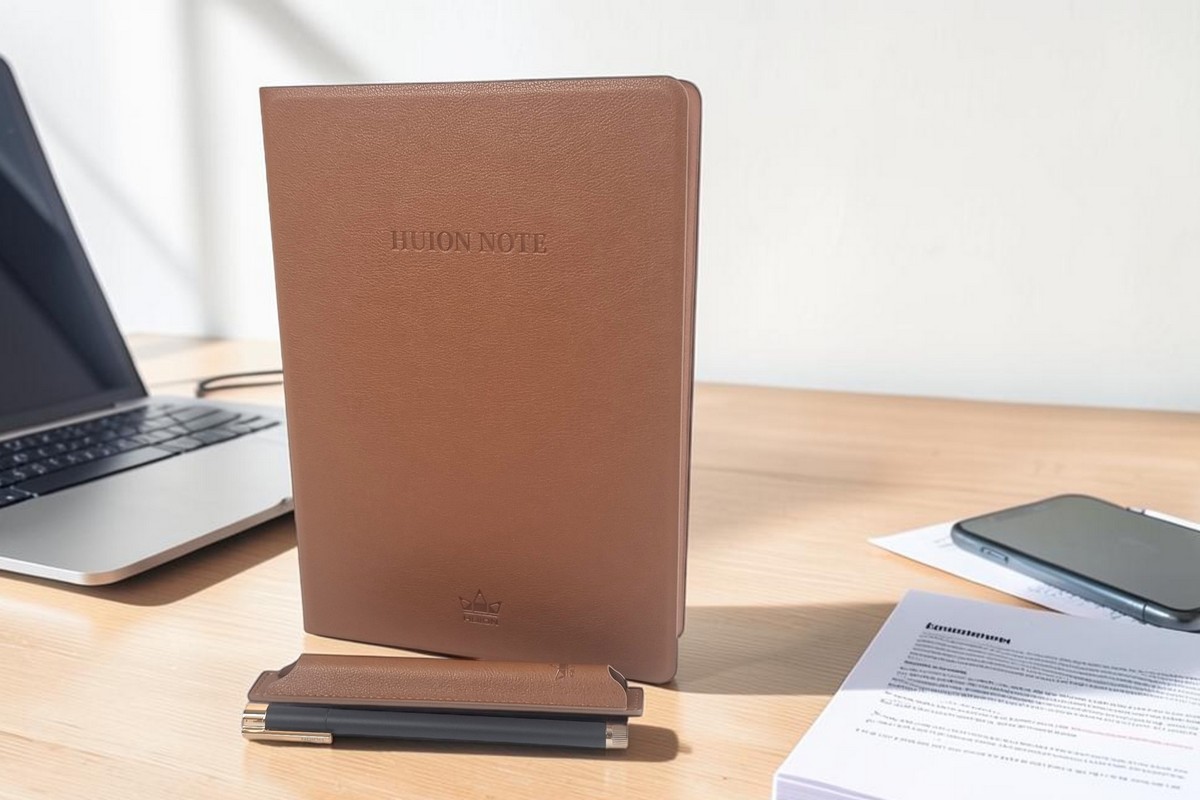
Paperille kirjoittava digimuistio yhdistää käsin kirjoittamisen ja sähköisen arkistoinnin. Käsin kirjoittaminen on usein nopeampaa ja luontevampaa kuin tekstin naputtelu puhelimella tai tietokoneella, mutta sähköisessä muodossa muistiinpanot on helpompi säilyttää, järjestää ja jakaa.
Tunnetuimpia digitaalisia muistikirjoja on näytöllä varustettu reMarkable. AVPlus on kokeillut aiemmin reMarkable 2 -mallia, joka pyrkii korvaamaan paperin sähköisellä mustenäytöllä. Tällaiset laitteet ovat kuitenkin suhteellisen kalliita: laitteen ja kynän hinta alkaa noin 350 eurosta, ja suojakannen kanssa kokonaisuus maksaa vieläkin enemmän.
Huion Note X10 lähestyy samaa tarvetta yksinkertaisemmalla ja ennen kaikkea paljon edullisemmalla tavalla. Siinä ei ole näyttöä, vaan käyttäjä kirjoittaa tavalliselle paperille mukana toimitettavalla mustekynällä. Kannen sisään rakennettu tunnistusalusta tallentaa kynän liikkeet reaaliajassa ja muodostaa niistä digitaalisen kopion.
Kun puhelin on yhdistettynä, muistiinpano näkyy Huion Note -sovelluksessa saman tien. Ilman yhteyttä tiedot tallentuvat laitteen sisäiseen muistiin ja siirtyvät sovellukseen myöhemmin synkronoinnin yhteydessä.
Muistikirja, jossa on piirtoalusta
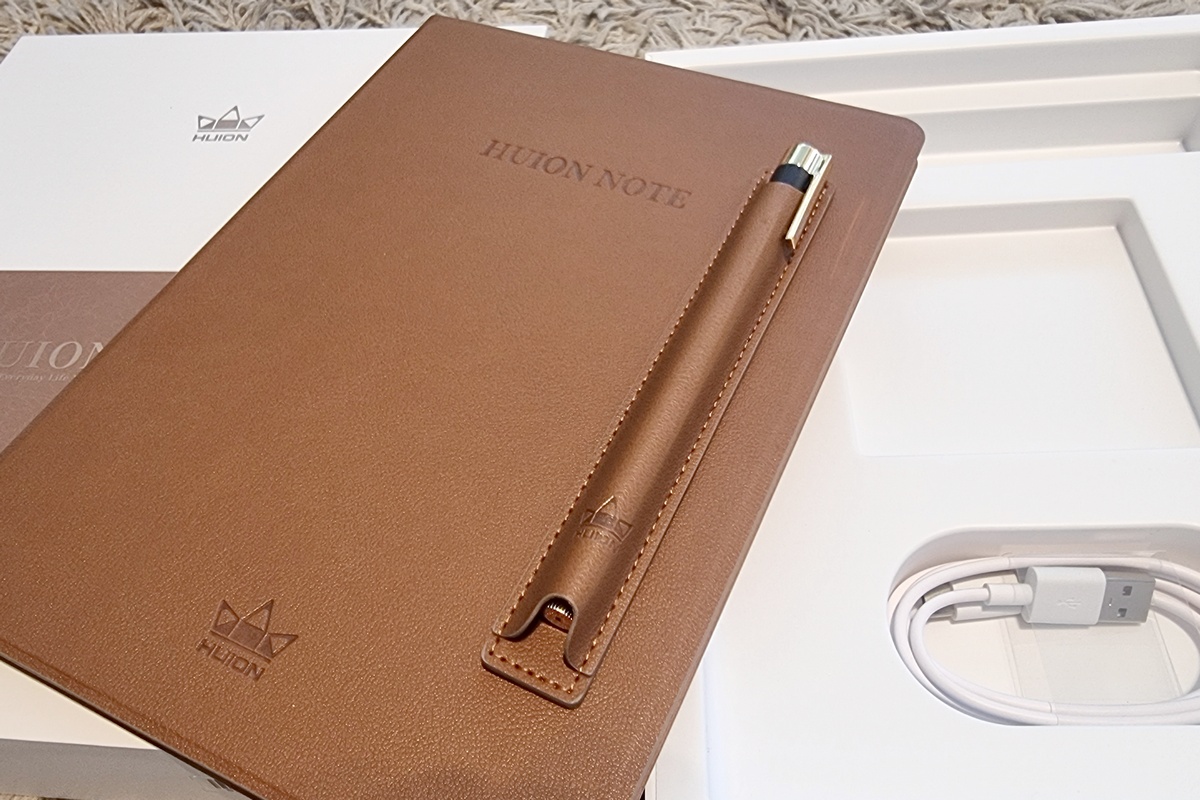
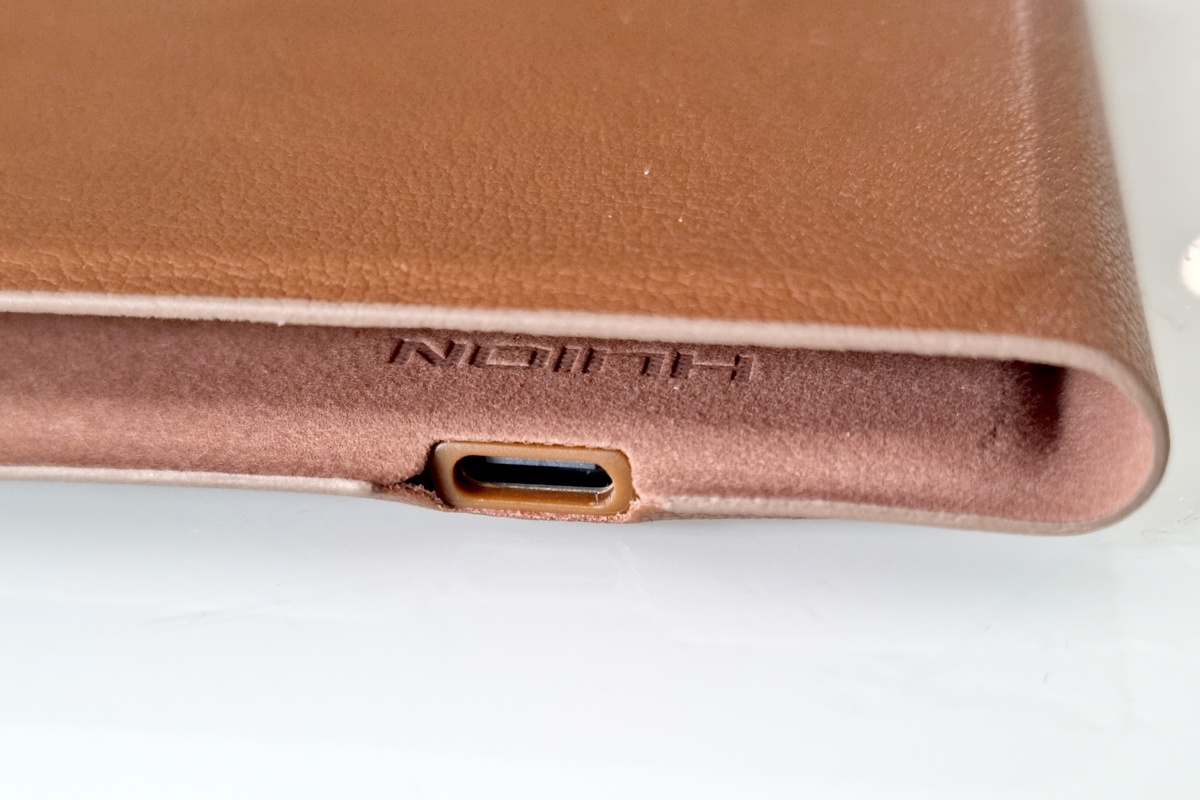
Ulkoisesti Huion Note X10 muistuttaa hieman A5-kokoa suurempaa muistikirjaa. Keinonahkapintainen kansi antaa sille siistin ja laadukkaan vaikutelman. Laitteen mitat ovat 241 × 178 × 13 millimetriä ja paino noin 433 grammaa. Aktiivinen kirjoitusalue on 186,9 × 140,9 millimetriä, joten se ei kata aivan koko A5-sivua.
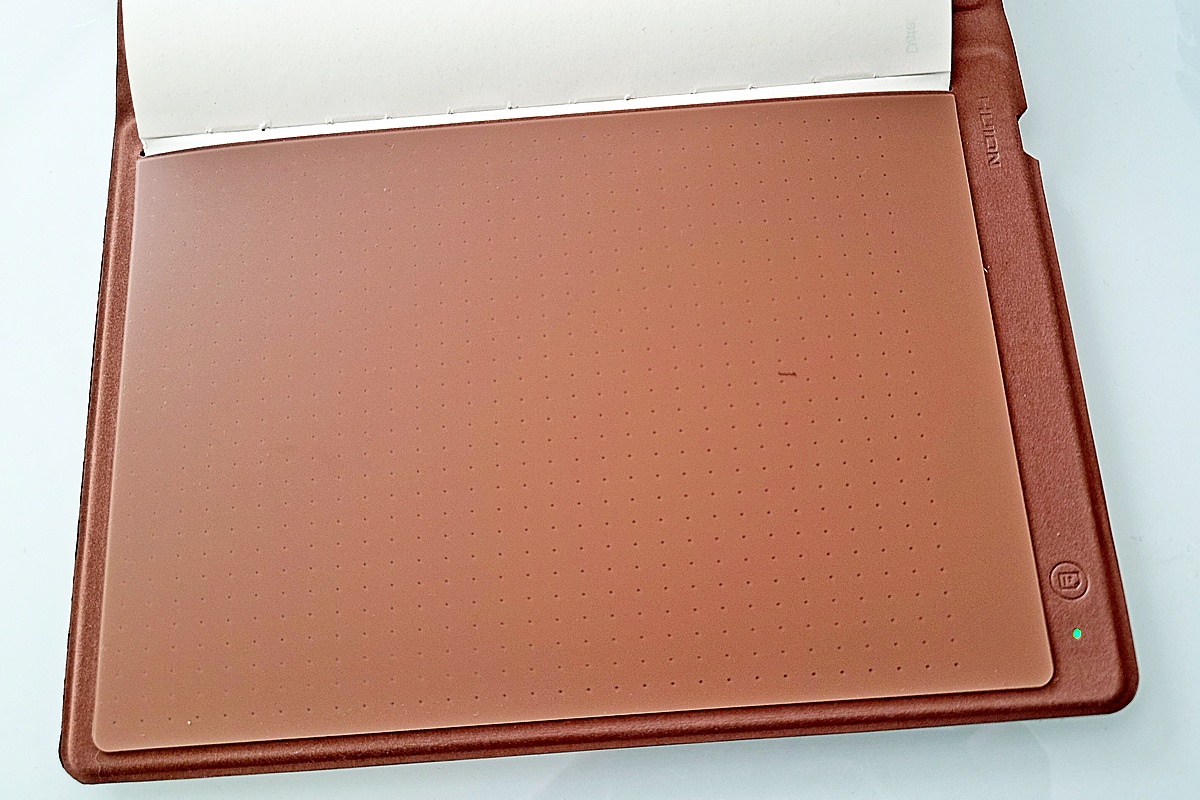
Kannen sisällä on sähkömagneettiseen resonanssiin perustuva EMR-tunnistusalusta. Se seuraa yhteensopivan Huion-kynän sijaintia, liikettä, painallusvoimaa ja jopa kallistusta paperin läpi. Paperissa itsessään ei ole elektroniikkaa tai tunnistuskuvioita.
Käyttää myös tavallisia A5-paperiarkkeja tai alle noin 10 millimetriä paksua A5-muistivihkoa.
Mukana toimitetaan 50-sivuinen vaihdettava A5-lehtiö. Sen tilalla voi käyttää tavallisia A5-paperiarkkeja tai alle noin 10 millimetriä paksua A5-muistivihkoa, kun paperi asetetaan oikein tunnistusalueelle. Huionin oman lehtiön etuna on, että se sopii suoraan kanteen ja kirjoitusalueen rajat on helppo hahmottaa.
Kynässä on vaihdettava kuulakärkinen mustesäiliö, joten kirjoitus jää näkyviin paperille. Kynä ei tarvitse akkua tai latausta, vaan toimii tunnistusalustan sähkömagneettisen kentän avulla. Tavallinen kuulakärkikynä ei kuitenkaan käy, sillä alusta tunnistaa vain yhteensopivan EMR-kynän.
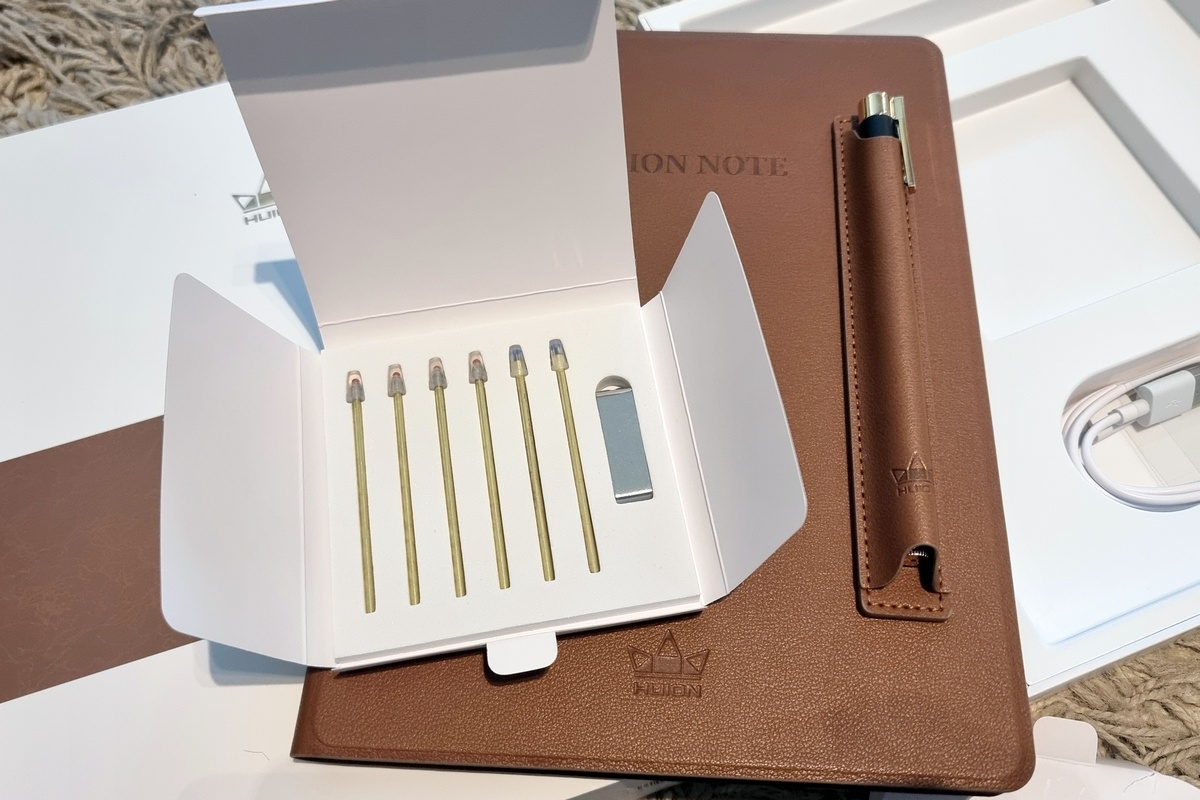
Pakkaukseen kuuluu viisi vaihtomustesäiliötä ja kaksi muovikärkeä piirtoalustakäyttöön. Valmistajan mukaan yhden mustesäiliön kirjoituspituus on noin 400 metriä, mutta käytännön sivumäärä riippuu käsialasta, rivivälistä ja sivujen täyttöasteesta. Huion myy vaihtomustesäiliöitä erikseen viiden kappaleen pakkauksina (17 €).
Huion Note X10:tä voi käyttää myös piirtoalustana.
Huion Note X10:tä voi käyttää myös piirtoalustana. Tällöin paperilehtiö poistetaan, kirjoitusalueen päälle kiinnitetään mukana toimitettava suoja/kohdistuspaneeli ja kynän mustesäiliö vaihdetaan muovikärkeen. Kynä tunnistaa 8 192 painetasoa ja kallistuksen, mistä on hyötyä erityisesti piirtämisessä ja kuvankäsittelyssä.
Tietokoneeseen laite yhdistetään USB-C-kaapelilla (tai Bluetoothilla). Huion tarjoaa monipuoliset ajurit Windowsille, macOS:lle ja Linuxille, mutta Linuxissa yhteys toimii valmistajan mukaan vain kaapelilla.
Laitteessa on 1 300 milliampeeritunnin akku, jolle valmistaja ilmoittaa jopa noin 18 tunnin käyttöajan. Lataus tapahtuu USB-C-liitännän kautta. Laite siirtyy 15 minuutin käyttämättömyyden jälkeen lepotilaan ja sammuu automaattisesti kannen sulkemisen jälkeen. Valmiusaikaa luvataan jopa 30 vrk. Kynässä ei ole akkua eikä se siis tarvitse virtaa.
Kirjoitus näkyy puhelimessa
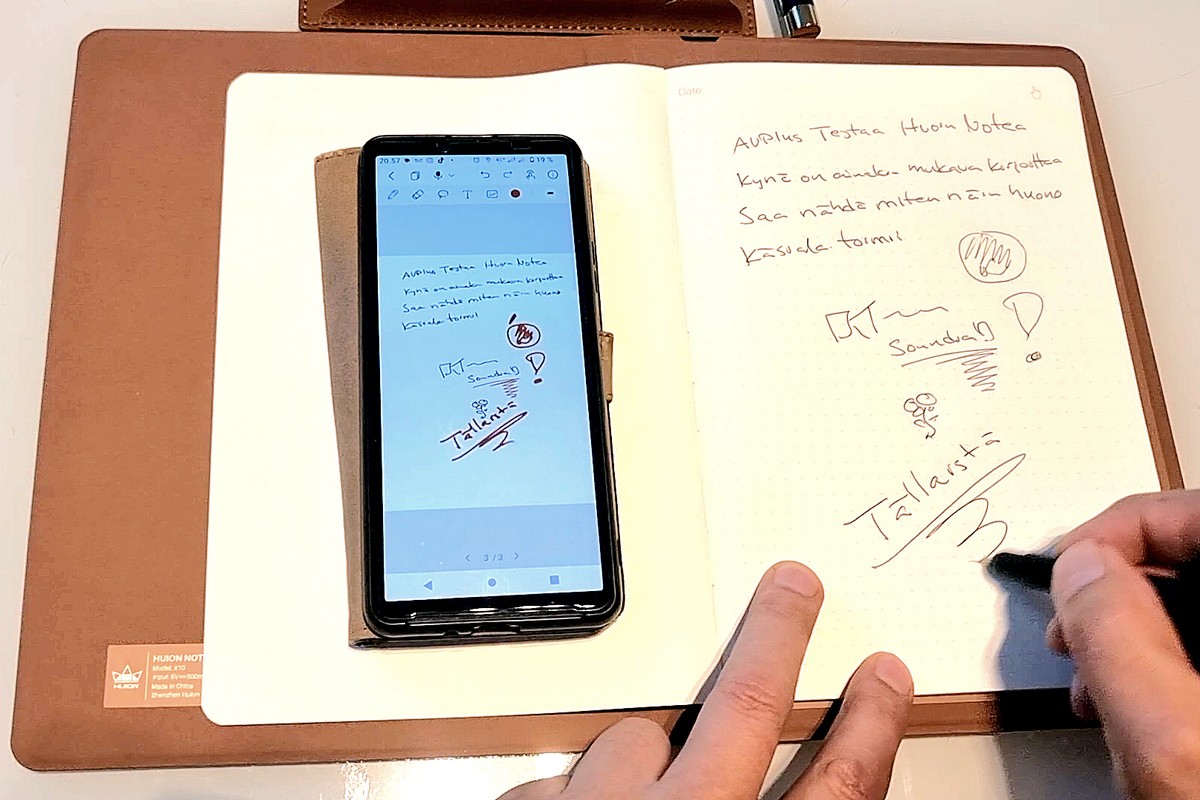
Huion Note yhdistetään Android- tai iOS-laitteeseen, ja Huion Note -sovellukseen Bluetooth 5.0 -yhteydellä. Huion Note -sovellus näyttää digitaalisen kynänjäljen samalla, kun käyttäjä kirjoittaa paperille. Sovelluksessa on paljon toimimitoja ja esimerkisi kynän viivan paksuutta ja väriä voi muuttaa. Sivuihin voi myöhemmin erikseen merkintöjä, tekstiä ja jopa kuva. Sivuja voidaan myös järjestellä myöhemmin.
Puhelinyhteys ei ole välttämätön kirjoittamisen aikana. Laitteen sisäinen muisti tallentaa noin 50 sivua, jotka voidaan synkronoida sovellukseen myöhemmin.
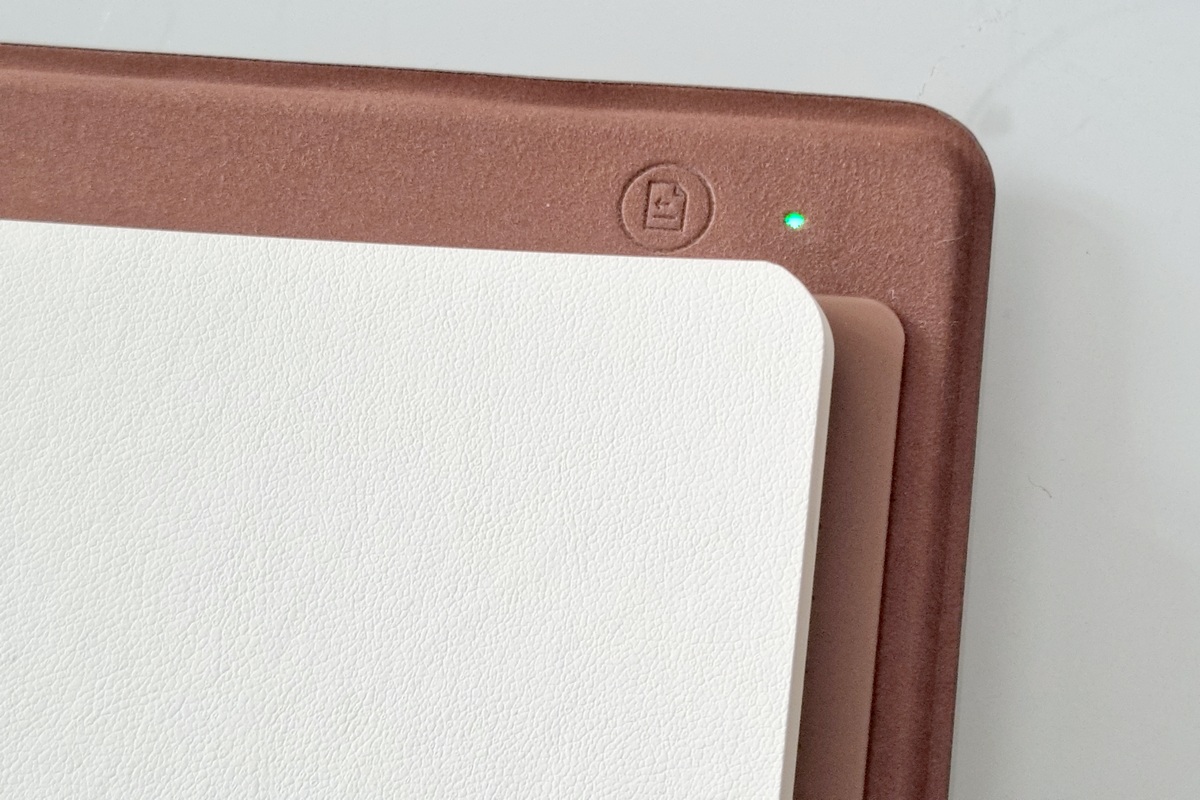
Uuden paperisivun kohdalla pitää painaa muistikirjan toimintopainiketta, jotta laite aloittaa uuden digitaalisen sivun. Jos tämä unohtuu, eri paperisivujen merkinnät voivat tallentua päällekkäin. Sovelluksessa ne voidaan toki erotella jälkikäteen kirjoitusjärjestystä hyödyntävän aikajanan avulla.
Muistiinpanot voidaan viedä PDF-, JPG- ja jopa MP4-videotiedostoina. Video-ominaisuudesta voi olla hyötyä esimerkiksi esityksissä, opetuksessa tai luonnoksen etenemisen havainnollistamisessa. Huion Noten tiedostomuoto säilyttää muistiinpanot sovelluksessa muokattavina.
Huion Note -sovellus voi tallentaa myös ääntä.
Huion Note -sovellus voi tallentaa myös ääntä muistiinpanojen tekemisen aikana. Äänitys voidaan toistaa myöhemmin yhdessä muistiinpanon kanssa, mikä voi olla hyödyllistä esimerkiksi kokouksissa, haastatteluissa ja luennoilla.
Huion Note -sovelluksessa on oma pilvitallennus ja tarvittaessa myös Google Drive -synkronointi. Muistiinpanot voi myös viedä eteenpäin sekä sovelluksen omassa Huion Note -muodossa että PDF- tai JPG-tiedostona. Huion Note -tiedoston avaaminen edellyttää tietenkin Huion Note -sovellusta.
Laitteen käyttö vaatii joka tapauksessa pakollisen rekisteröitymisen Huionin palveluun eikä yhteys puhelimen ja laitteen välillä toimi ilman sisäänkirjautumista. Tämä on pieni miinus.
Ei tekstintunnistusta, mutta ei haittaa
Huion käyttää tuotetiedoissaan ilmaisua, jonka mukaan kirjoitus muutetaan digitaaliseen muotoon. Tämä ei kuitenkaan tarkoita, että sovellus muuttaisi käsinkirjoitetut kirjaimet automaattisesti "tekstiksi". Digitaalinen sivu "sisältää" sisäänrakennetun tunnistimen tallentamat kynänvedot tavallaan vektorigrafiikkana. Varsinaista OCR- eli tekstintunnistusta sovelluksessa ei kuitenkaan ole.
Tallenne on kuitenkin mahdollista viedä JPG-kuvana tai PDF-tiedostona eteenpäin tekstitunnistusta varten erilliseen sovellukseen tai -online-palveluun.
Vaihtoehtoja ovat esimerkiksi Google Lens, Applen Live Text, Pen to Print sekä useat muut erilaiset OCR-sovellukset ja verkkopalvelut. Kaikki niistä eivät kuitenkaan tunnista käsin kirjoitettua tekstiä ja käsialaa yhtä hyvin kuin painettua tekstiä.
ChatGPT on helppo tapa muuttaa Huion-muistiinpanot tekstiksi.
Itse asiassa ChatGPT on kenties helpoin tapa muuttaa yksittäinen Huion-muistiinpano tekstiksi: Sivu voidaan viedä JPG-kuvana tai jopa suorana kuvakaappauksena suoraan ChatGPT-sovellukseen tai liittää erikseen keskusteluun, minkä jälkeen palvelua pyydetään muutamaan se tekstiksi.
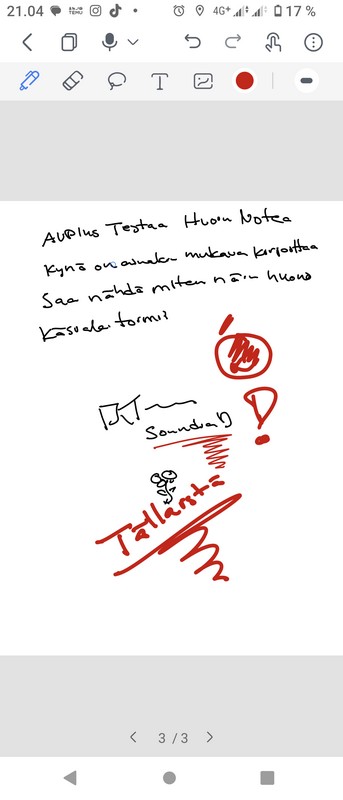
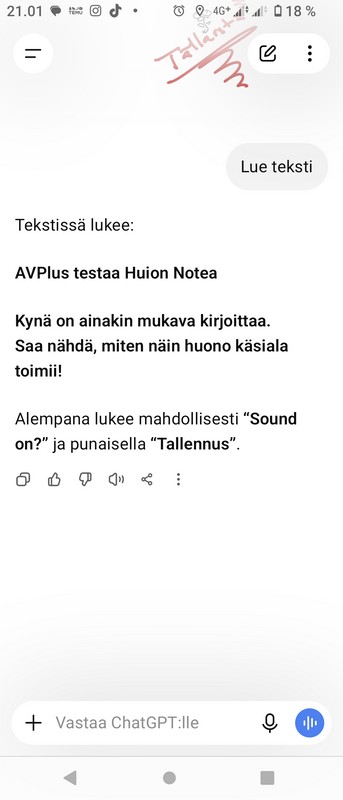
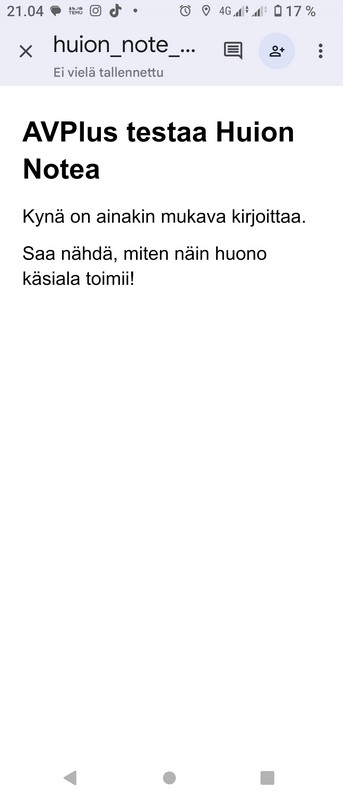
Samalla ChatGPT:tä voi jopa pyytää säilyttämään otsikot ja kappalejaot, merkitsemään epäselvät sanat, korjaamaan selvät kirjoitusvirheet, ja muistiinpanosta (myös useista) voidaan pyytää myös yhteenveto. Tuloksen voi kopioida suoraan palvelusta tai pyytää tallennettavaksi esimerkiksi TXT- tai Word-tiedostoksi.
Monisivuiset muistiinpanot voi viedä PDF-tiedostona, jos käytetty palvelu tunnistaa käsinkirjoitusta PDF-sivuilta. Yksittäisille sivuille JPG on yleensä suoraviivaisempi.
Tunnistuksen tarkkuuteen vaikuttavat tietenkin käsialan selkeys, kieli, kuvan laatu ja sivun rakenne. Valmis teksti kannattaa aina tarkistaa. ChatGPT kykeni ainakin tunnistamaan hyvinkin epäselvää käsialaa.
KUVAGALLERIA:
Most read today

Latest
Subscribe to the newsletter
Subscribe to our newsletter and stay up to date with the latest news in technology and entertainment electronics.
Survey
Quiz
Nokia phones
Related Posts
Maailman radiot yhden klikkauksen päässä – Roulette Radio tekee kuuntelusta löytöretken
Nettiradio tuo kuunneltavaksi kymmeniätuhansia radiokanavia eri puolilta maailmaa. Mutta miten löytää kiinnostavaa kuunneltavaa valtavasta tarjonnasta? Ilmainen Roulette Radio tarjoaa tähän...
TESTISSÄ Realme 16 Pro 5G Harry Potter Edition – taikaa vai kallista taikapölyä?
Realme julkaisi rajoitetun erän Harry Potter -teemaista Realme 16 Pro 5G -älypuhelinta. Näyttävä erikoisversio maksaa 699 euroa, noin 300 euroa...
Langalliset kuulokkeet tekevät paluuta – Bosen uusi USB-C-malli tarjoaa vastamelun ilman akkua
Langattomat nappikuulokkeet hallitsevat markkinoita, mutta johto on tekemässä yllättävää paluuta erityisesti nuorempien käyttäjien keskuudessa. Nyt trendiin tarttuu myös Bose, joka...
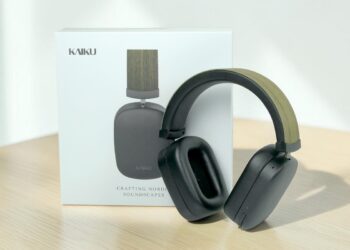
TESTISSÄ KAIKU WAVE wireless noise cancelling headphones – a Finnish challenger in the tough premium category
Kaiku Wave on 449 euroa maksava langaton vastamelukuuloke, jossa yhdistyyy osittain suomalainen suunnittelu, suomalainen puu, hillitty design, pitkä akunkesto ja...
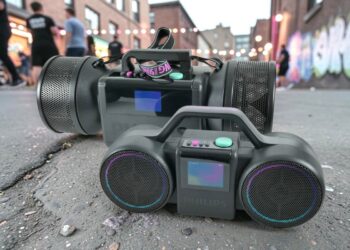
Philips The Roller and The Tube – Moving sound with its own style
Philips The Roller and The Tube bring back the 1980s boombox spirit without cassettes or radio. It comes with Bluetooth, a battery, Auracast, and...

Kuinka teknologia parantaa käyttäjäkokemuksia jatkuvasti
Realistisuus nousee uudelle tasolle Ehkä selkein osoitus teknologian kehityksestä on se, miten digitaaliset ympäristöt ovat lähentyneet fyysistä todellisuutta. Käyttäjät eivät...
 Suomi
Suomi  English