
How the sound and image quality affect the experience of online games

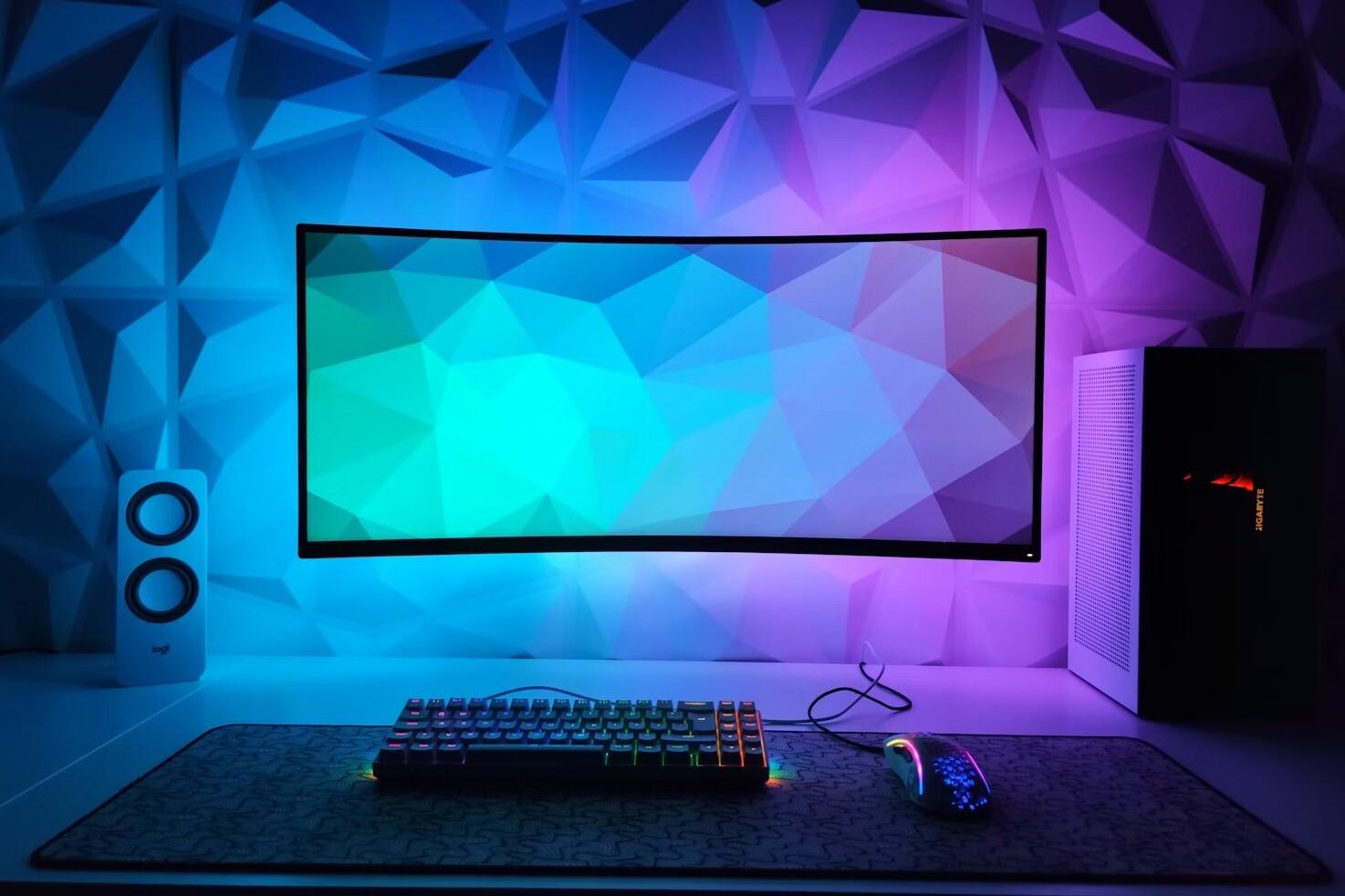
In online games, the “feeling” is created by how reliably the brain receives information about movement, time, and position. When the image is uneven or the sound is unclear, you start to anticipate and guess: are you shooting already or not yet, will the step be from the left or from behind, will the attack happen or not. This is not just a matter of comfort – it shows up in reactions, errors, strain, and even in whether you find the game fair.
The same phenomenon is also seen in entertainment games and casino games, where rhythm is part of the experience: when the interface reacts immediately and the animations are smooth, the round feels “flawed”. Many notice this especially on platforms like VivatBet, These films, where the visual and sound design of modern castles is built in such a way that the events are clear and the timing feels tight and not fragmented.
Frame rate, fps and frametime: why smoothness beats “ultra settings”
Most people talk about resolution, but in online games the most important factor is the readability of the movement. It depends on two things:
- FPS (frames per second) tells you how many images you can draw per second.
- Frametime tells whether the images come at regular intervals (e.g., 8.3 ms apart at 120 fps) or whether there are spikes.
Two compositions can appear to have the same “fps reading” when viewed, but feel completely different if one framerate spikes. The spikes appear as micro-bursts that disrupt the rhythm: aiming overcorrects, the camera’s movement “ui,” and in close combat the timings get out of sync.
Expert tip: In competitive games, steady framerate is more important than a high average FPS. Often, “locked and steady” (e.g., 117 fps on a 120 Hz display) feels better than a grinding 90–160 fps.
Motion blur on the screen: Hz, response time and “sample-and-hold”
Even if the fps is fine, the motion can still look blurry. The reason is usually the display technology:
Most displays are sample-and-hold: the image stays on the screen for the entire screen period.
The eye tracks a moving object, but the image does not move in the same way, resulting in motion blur. Refresh rate (Hz) reduces this: 120/144/165 Hz makes the movement much easier to follow than 60 Hz.
Response time (GtG) affects ghosting. Too aggressive overdrive can, on the other hand, cause “inverse ghosting” or a bright shadow.
If you play on TV, the most important setting is often Game Mode, which reduces post-processing and lowers input lag. Many TVs look great in movies, but in games, movie processing is a poison to the senses.
Lag in practice: input lag is not ping
The delay experienced by the player is a chain. It includes:
- mouse/controller latency (and polling rate)
- internal rendering queue in the game (render queue)
- GPU and CPU load (congestion can increase the delay)
- screen input lag + response time
- network + server (ping, jitter, packet loss)
Therefore, a “good ping” does not guarantee a good feel. One common problem is that the game renders frames in a queue when the fps drops: the frame is indeed updated, but it looks like a more outdated situation. The feel is “in a backlog”.
Expert tip (easy): if you use VRR (G-SYNC/FreeSync), limit the fps to slightly below the maximum Hz of the monitor (e.g. 141 fps at 144 Hz). This reduces tearing and often keeps the lag better than “fps ceiling”.
VRR, V-Sync and frame cap: a safe combination
VRR (Variable Refresh Rate) slows down the refresh rate of the screen to the fps produced by the game. It can make the movement smoother and reduce tearing. But VRR is not a magic box.
VRR operates only in a certain range (e.g., 48–144 Hz). If the fps drops below the minimum, some displays use LFC (Low Framerate Compensation), while others do not.
V-Sync can add lag if the fps exceeds the maximum Hz and the screens become queued.
A practical recipe for many: On VRR + fps cap slightly below the maximum + heavy lag effects from the game (excessive motion blur, heavy post-processing). This combination often brings both fluidity and control.
HDR, gamma and contrast: readability before the “wow effect”
A good picture is not the same as a clear picture. In playing, the most important thing is to distinguish:
- details of the shadows (so that the “black ones don’t get clogged”)
- shades of bright areas (not “a white piece broke off”)
- interface elements without glare
HDR can improve the depth effect and the separation of colors, but only if the chain is in order: game → operating system/console → display. An improperly adjusted HDR often makes the image appear gray, too dark, or too harsh.
Expert tip: Do HDR calibration per game if possible, and keep an eye on the gamma. In many games, “too dark gamma” looks cinematic, but it reduces readability and makes it tiring.
Sound: position, direction and dynamics (not just “good bass”)
In games, sound is often the most important clue to the plot. A good soundscape does three things:
- Direction (left–right–back–top)
- Distance (close or far away)
- Distinction (the steps do not blend into the music or explosions)
Technically, there are many factors involved:
- game-specific HRTF/ binaural positional audio (if available)
- the frequency range of the headphones (too big bass punch covers the steps)
- dynamic settings (night mode/compression can make everything “the same mess”)
Expert tipIf the competition feels unclear, try a lighter compression and slightly reduce the bass. The goal is to make the details of the mid frequencies (steps, loading sounds) stand out.
Streaming, packaging and cloud gaming: why the image “disappears” in the dark
If you are playing or watching via a stream, the image and sound are compressed. Compression often does two things:
- Dark areas “block out” and details disappear
- fast motion loses sharpness (the bitrate isn’t enough for everything)
In cloud gaming, in addition to that, the network jitter (varying lag) can feel as if the control is uneven, even though the fps seems stable. In this case, stability of the connection is the most important factor, not just speed.
Slots and online casino games: why sound and visuals add a sense of “pace” and excitement
In slots and other casino games, audiovisual quality is practically the “language of the game”.
When the animations are smooth and the sounds hit the right moment, the player understands the sequence of events effortlessly: the reels stop, the symbols lock in place, and the triggering of a win or feature is clearly distinct.
This clarity increases interest in two ways:
- The rhythm remains intact: the round does not break into a flurry of punches, and the player does not have to wait for the screen to lock in.
- The events seem “real”: the sound and the image confirm that there has been some change happening right now (a transformation, a characteristic, a new phase).
However, when the sound is lagging, the image is blurry, or the graphics are grainy, the gameplay feels choppy and the tension falls away. That’s why modern slots prioritize responsive interfaces, sharp animations, and clear sound design – not just for visual appeal, but to ensure the gaming experience remains understandable and enjoyable.
Practical “do this” list: optimization without unnecessary adjustments
Here is the order in which you usually get the most benefit quickly:
- Make performance consistent: reduce settings until fps doesn't drop.
- Make sure the correct Hz: check that the display does not stay at 60 Hz accidentally.
- Enable VRR if your devices support it, and set the fps cap slightly below the maximum.
- Turn the game mode on in the TV and remove heavy image processing.
- Adjust HDR/gamma for readability: shadows are visible, bright areas are not.
- On the audio side, separation is prioritized: less bass, clearer details.
- Test one change at a time and play 10–15 minutes in the “familiar situation” (same map/exercise) to see the difference.
When sound and visuals are in order, gaming becomes more relaxed: less guesswork, more certainty. At the expert level, the most important idea is simple: first optimize smoothness and latency, then readability (contrast/HDR), and finally audio. The same principle applies to slots and other casino games – when rhythm, clarity, and responsiveness are in place, the experience remains smooth and engaging without you having to “fight” against the interface.
Most read today
Latest
Subscribe to the newsletter
Subscribe to our newsletter and stay up to date with the latest news in technology and entertainment electronics.
Survey
Quiz
Nokia phones
Related Posts

IFA 2026 – these were the most interesting AV and technology innovations from Berlin
The Berlin IFA 2026 was not built around a single major announcement. TVs with RGB backlighting are making a strong entrance, soundbars are growing into full multi-channel systems, and projectors...
Age rating labels for audiovisual content in Finland: The role of KAVIn and the PEGI labels for games
Where do age limits come from for home theater? When you choose a movie, series, or game for the TV in the living room, an age limit and content symbols often appear. They tell...
JBL revamps the Quantum gaming series on multiple fronts – new headphones start at 44.99 euros and QuantumENGINE gets AI
The JBL Quantum gaming series is being refreshed this year, both in terms of devices and software. Four new models have been introduced to the headphone lineup, ranging from 44.99 euros...
The best gaming PCs in Finland 2026 for every budget
How to choose a gaming PC in Finland: Different games put a strain on the system in different ways, so the same configuration won't suit everyone. Intel highlights...

One display, many uses: This is how digital entertainment has changed
Nowadays, you can switch from Netflix to a video call, a mobile game, or the news of the day on the same device in just a few minutes. Technological progress has not only changed devices,...

Fundraising starts with a good plan – this is how a joint campaign stays under control
A class trip, a camp school, a tournament trip, equipment, an event, or any other purchase can create a need to raise money as a group. Well-planned fundraising helps cover...
 Suomi
Suomi  English