A specialized magazine for consumer electronics and new technology
  • Log in to the member service
  • Sign up
Shopping cart / 0,00 €

Cart is empty.

AVPlus
  • News
  • Tests & Comparisons
  • Demonstrations & Experiments
  • Articles & Guides
  • AVPlus Extra
  • Newspaper archive
No content was found for the search term.
Browse all results
AVPlus
No content was found for the search term.
Browse all results
Category: Experiment, Mobile devices, Artificial intelligence, Smartphones

Samsung Galaxy S25 – More with AI

Editorial TeamTextEditorial Team
5.8.2025
Samsung Galaxy S25 – More with AI
Reading time about 12 minutes
A A

Text & Images Matti Komulainen

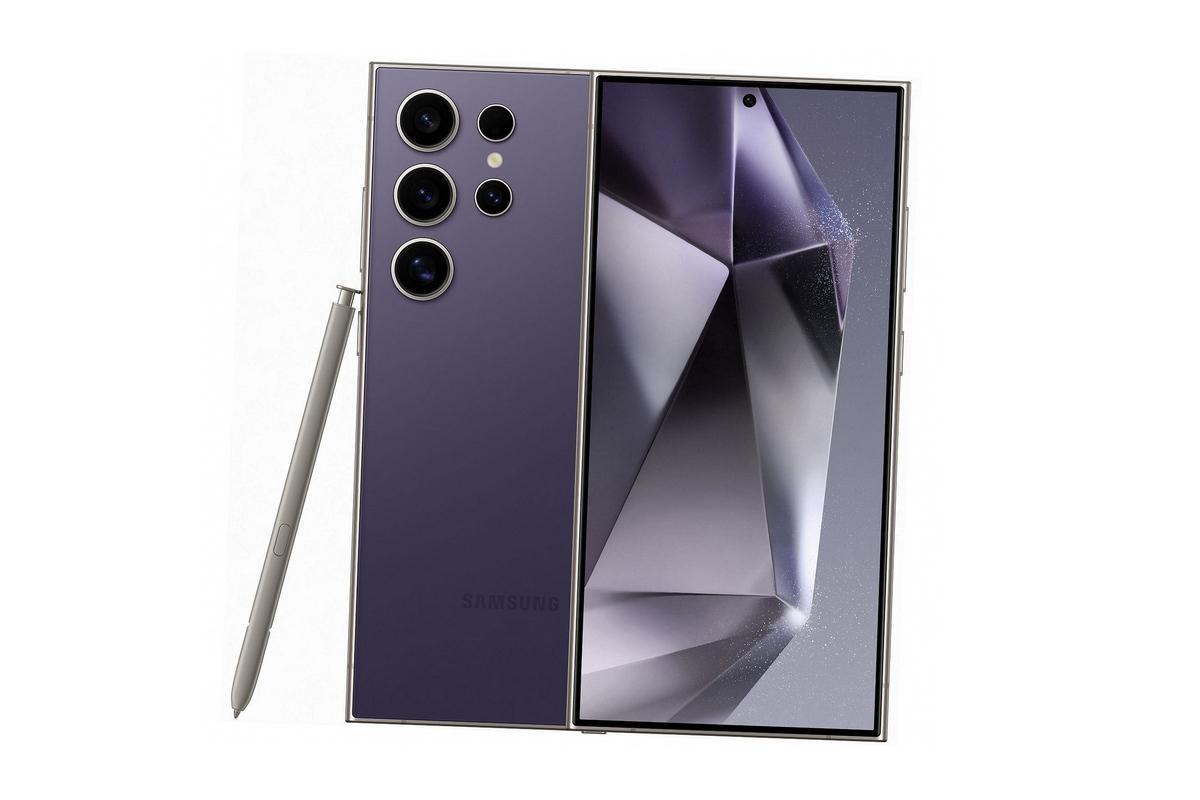
The Samsung Galaxy S25 Ultra combines powerful hardware, artificial intelligence features, and advanced customizability. The device is based on Android and Samsung's One UI interface, which allows the phone to be highly customizable.

Samsung announced the Galaxy S25 Ultra, Galaxy S25+, and Galaxy S25 smartphones in January 2025. They focus particularly on artificial intelligence features.

The Samsung Galaxy S25 series, which was launched to customers in early February, makes the AI ​​phone a true everyday companion. Samsung aims to create the most personal mobile experience ever.

If you don't change your phone every year, the Samsung Galaxy S25 Ultra truly feels like a leap into a new hygge category.

Package contents and setup

The Samsung Galaxy S25 Ultra packaging follows the modern ecological line. The previous thick cardboard boxes decorated with impressive glossy prints and closed with magnets have long since been replaced by more modest transportation solutions.

The current matte black cardboard is lighter and cheaper in terms of logistics. Similarly, the phone only comes with a SIM card tray key pin, a USB-C to USB-C cable, and a meager accompanying printed warning, which mainly warns of potential dangers. The charger must be purchased separately.

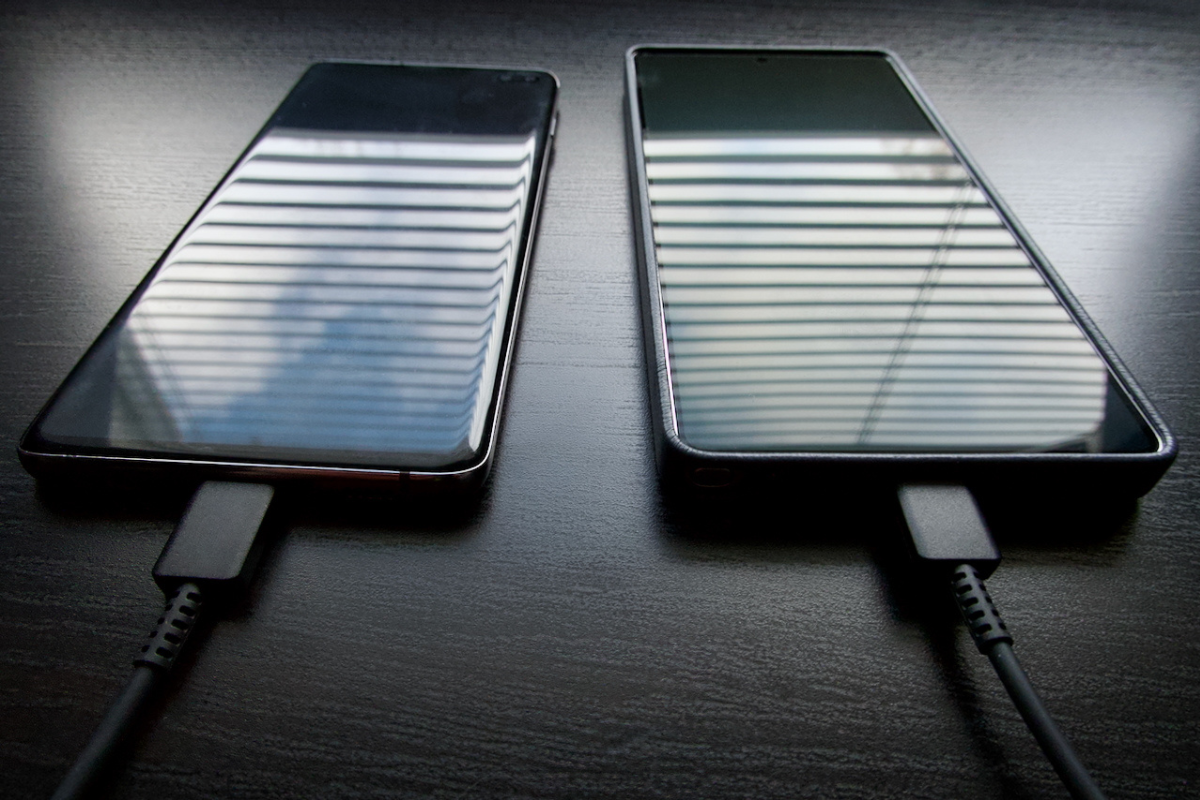
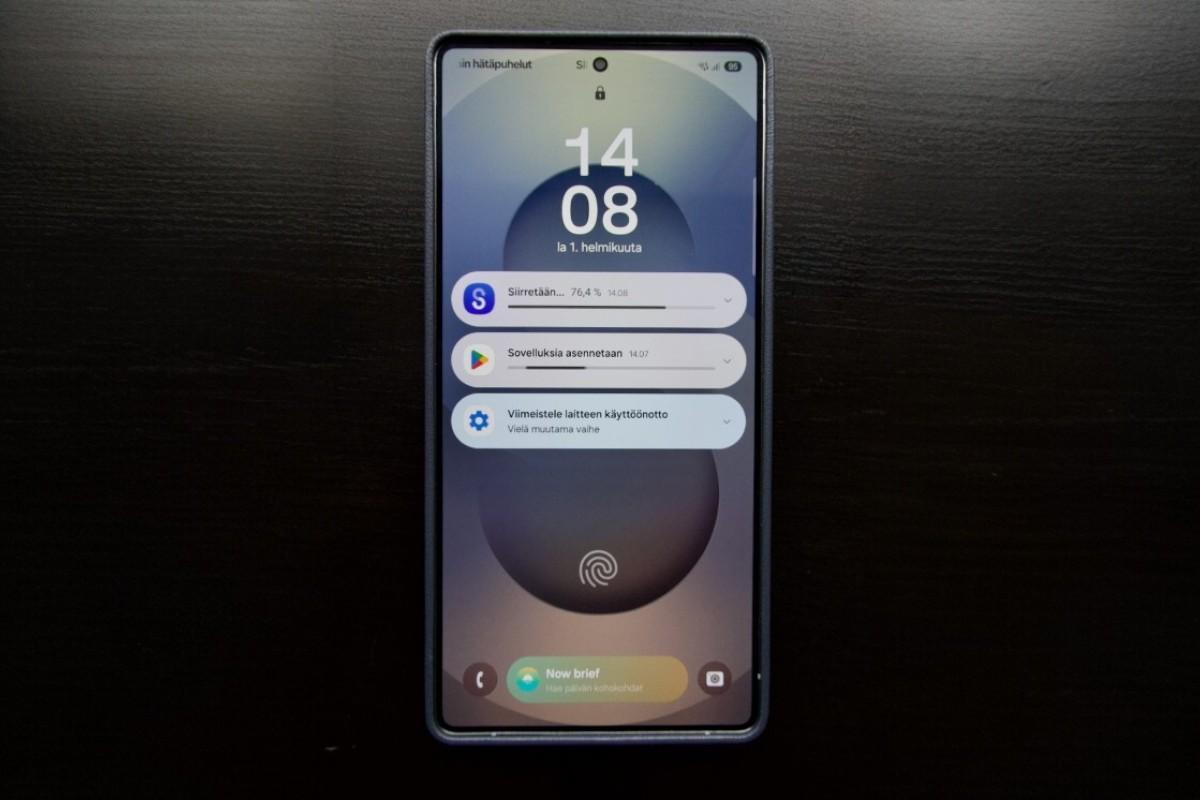
The setup process is as easy as it gets on previous Android phones. The Samsung Galaxy S25 Ultra's migration assistant takes care of the job either via cable or over the internet. Even moderately large content can be transferred to the new handset in a few dozen minutes, at least with a cable.

If you want to use your new phone as is without transferring your previous data and other content, the process is even faster.

As an intermediate form, data transfer can also be tailored to whether you want to transfer, for example, photos and selected apps to the device in addition to contacts, settings, and other basic data. The device handles updates as they occur in the programs being transferred.

Samsung Galaxy S25 Techo more
Data transfer from an old device is smooth with the USB-C to USB-C cable that comes with the Samsung Galaxy S25 Ultra.
Samsung Galaxy S25 Ultra Image 4 NETWORK
After the updates, the Samsung Galaxy S25 Ultra is ready to use.

Structure and feel

The Samsung Galaxy S25 Ultra feels instantly familiar in the hand. The design is more rounded in terms of corners than the previous model series. The side profile is more rectangular. The weight has been reduced from the previous one with titanium shell solutions.

The device's glass surfaces are made of a high-protection material that feels silky smooth when using the touchscreen. Gone is the excessive slipperiness that made some previous Samsung S series downright hazardous: the handset could slide off even the slightest incline and escape from a glove without a friction-providing case.

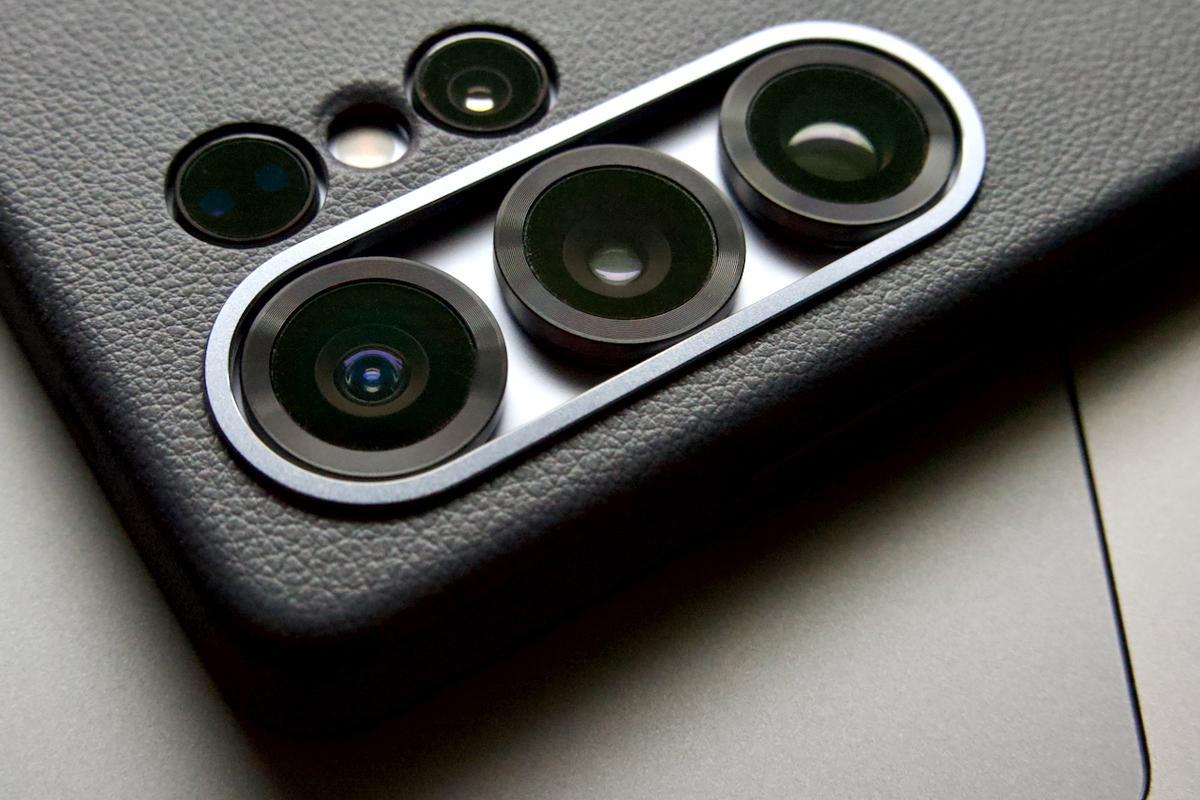
Still, it's smart to protect the Samsung Galaxy S25 Ultra from possible bumps during use. For example, the manufacturer's own Kindsuite is a thin but sturdy protective case that protects both the screen and the camera protrusions from bumps, for example when placing the handset on a table. In addition to the leather-imitating Kindsuite model, Samsung offers a wide variety of other branded cases, from silicone surfaces to Marimekko patterns.

Samsung A25 Ultra image 6 NET
The Samsung Galaxy S25 Ultra's camera is top of the line. It's worth protecting the camera protrusions properly with protective cases from Kindsuite, for example.

Other accessory manufacturers also have a wide range of options, from transparent silicone cases to wallets and bumpers that improve field suitability. Those who consume a lot of video and other content will appreciate protective models that have an integrated stand for table use. Photographers, on the other hand, like cases that also serve as a grip surface with rings, loops or other protrusions.

Charging and power management

Samsung's black 45 W fast charger is connected with a USB-C cable. The cable is commendably long, 1,8 meters. The benefits are noticeable both at home and on the go, especially when there is no plug right next to it. A half-empty handset's battery is quickly charged, in a few dozen minutes. A wireless charger is also available.

The charger can charge fast-charging devices at super fast speeds, but it also works well with other devices. It can charge PD 3.0-compatible devices at up to 45 watts and other devices at their maximum speeds.

There are many ways to manage battery life and usage. Lowering the screen resolution and enabling dark mode will significantly reduce power consumption, as will closing unnecessary programs running in the background.

Battery life can be extended by adjusting the charging mode in the three-stage Battery Protection menu. At its maximum level, the battery will stop charging at a user-selected percentage between 80% and 95%. When you leave the vicinity of a charging point, you can change the charging style on the fly and charge your battery to the pin for maximum runtime.

Performance and adaptability

The Samsung Galaxy S25 Ultra is nimble in its functions. After starting up, various programs and functions open quickly and, for example, surfing the Internet runs smoothly. In everyday functions, almost everything can be customized and optimized to your own needs, from the device's appearance to the operating menus.

The internet is full of endless guides offering tips on how to adjust the settings of the Samsung Galaxy S25 Ultra and how to customize the device in other ways. The “secret” and “hidden” tricks that many sites tout can be found by browsing through the settings menus and experimenting with options. However, researching experts with varying levels of experience online may at best save you time and effort.

Some of the tips are useful in showing with practical examples how, for example, an additional program downloaded from the device manufacturer's website can make use of it more easily or versatilely. For example, a keen photographer can take full advantage of the Samsung Galaxy S25 Ultra's camera features and basic programs and settings with the Camera Assistant additional program.

Display and processor

The Samsung Galaxy S25 Ultra's display is 6,9-inch and its reproduction is pleasing to the eye. The resolution can be selected in three levels in the settings, with the sharpest level being QHD+ 3120x1440.

The sharpest image also means the highest battery usage. Utilizing the full screen capacity will tax the 5000 mAh battery faster than other resolution categories (FHD+ 2340x1080 / HD+ 1560x720).

While a fully charged phone with standard settings will last a couple of days if you focus mostly on traditional communication, heavy internet browsing and watching video content naturally require more frequent charging.

On average, a fully charged battery lasts all day without a worry, and moderate consumption of video content leaves around 20–30 percent power reserve for the evening.

The screen is protected by Corning Gorilla Armor 2. The surface of the touchscreen feels slippery in a good way but does not reflect in a disturbing way. The screen feels good to use. However, sometimes it feels like a dry and even freezing cold finger does not wake up the screen quite as quickly as you would expect.

The processor is a Qualcomm Snapdragon 8 Elite. It works quickly and smoothly in different situations. The operation is smooth in normal everyday situations, as well as when you immerse yourself in, for example, surfing the web or watching video material. Watching platforms like YouTube and Netflix is ​​effortless and enjoyable. Switching between apps is fast and smooth.

Someone might miss the memory card slot and headphone jack on the new device. Now you can insert a second SIM card in place of the memory card. Wired headphones, on the other hand, must be connected to the charging port with a USB-C adapter, or you need to buy headphones with a USB-C connector.

Artificial intelligence assistants and practical experience

The Galaxy S25 family opens the door to an AI-integrated user experience and helps you leverage the latest AI technology in your everyday life. The custom Snapdragon 8 Elite Mobile Platform for Samsung Galaxy chipset ensures even better performance for Galaxy AI features.

Artificial intelligence makes things easier to use in many ways, as Samsung has specifically focused on making the user experience intuitive. At the heart of the Samsung Galaxy S25 Ultra is a wide range of tools, from voice control to search features developed with Google.

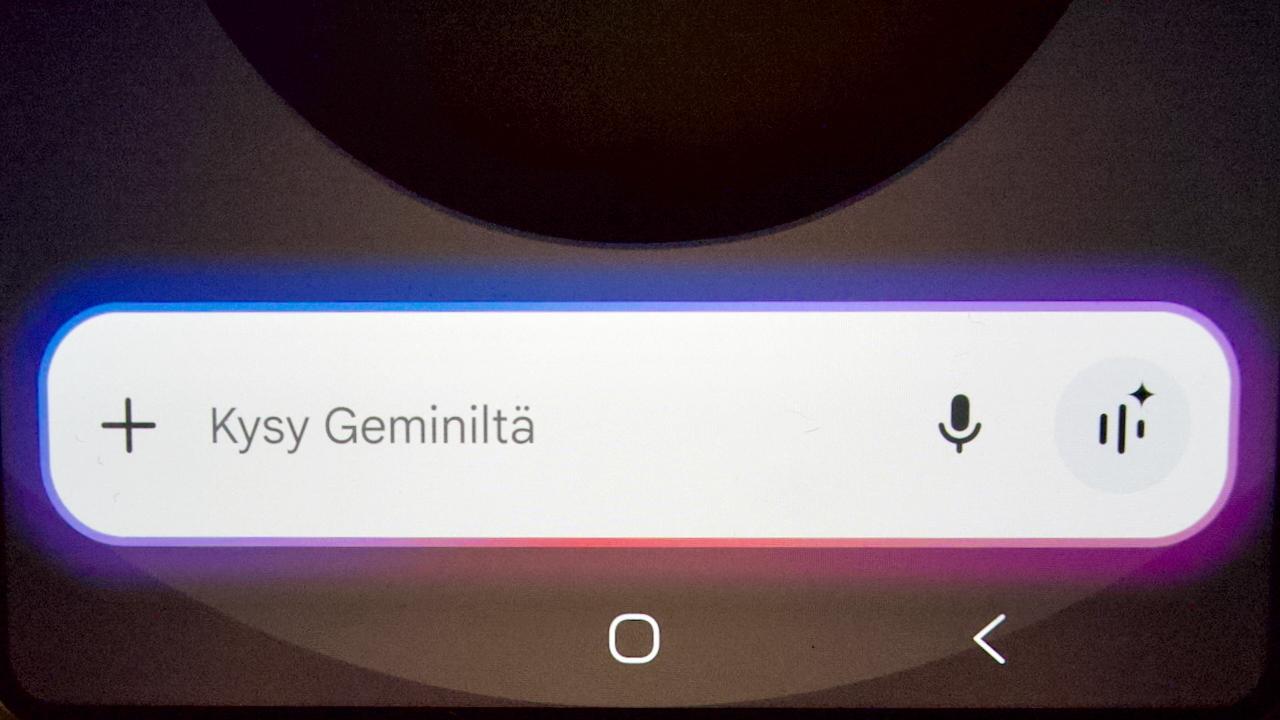
Samsung's previous assistant Bixby has now been joined by Gemini. Google's artificial intelligence assistant Gemini streamlines many types of device use, and the previous Bixby is also used mainly as a controller and control of device settings. With Gemini, you can search for things, music or products based on given text, sound sample or image. The search function is amazingly fast at best and the hit accuracy is mostly accurate.

Samsung A25 Ultra image 3 NET
Artificial intelligence in its various forms is one of the strengths of the Samsung Galaxy S25 Ultra.

Voice control and multimodal searches

Communication is done using voice commands and touching the screen. Voice control mostly works well in English, and the machine's voice can be selected from several options.

The system understands Finnish more selectively, depending on the query. Searching for information or, for example, adding an item to the calendar requires careful word choices. Instead of a quick search result, Gemini often lectures on the subject, unless the command or question is unambiguously clear. In theory, the strengths of artificial intelligence are adaptability and learning, meaning that active use, at least presumably, refines the relevance of its searches.

In practice, voice control works very differently. A simple search online command produces the desired result at best, but often it doesn't. Sometimes Gemini seems to activate on its own and starts to respond to something it has picked up from a conversation it has overheard. Quite funny, perhaps at its most hilarious. Then again, quite worrying: what exactly is the device spying on?

You can tap to search for an image or circled text on the screen. These features are called multimodal because they process text, images, speech, and other sounds simultaneously.

Updates to Google’s Circle to Search feature make searching for information on your phone screen even more useful, faster, and contextual. Circle to Search now recognizes phone numbers, email, and web addresses, allowing you to call, send an email, or visit a website with a single tap.

You can also search by sound. A music sample is mostly found easily, whether it's a song or an instrumental piece. Instead of having to activate Shazam or SoundHound, the device searches and finds it quickly.

For example, the Samsung Galaxy S25 Ultra immediately recognizes a new rock song, while Shazam takes a couple of seconds longer to think and SoundHound even longer. An older marginal instrumental electro song is found just as immediately, while Shazam lags behind in speed and SoundHound doesn't get a hit at all.

Gemini also acts as an interpreter, and the claim was proven true based on the text sample – the result is understandable Finnish from English material. Real-time speech translation was not attempted.

Additionally, Gemini will forks open restaurants nearby upon request, for example, but it can't yet send the list as a text message to the requested person. Additionally, the user can search for a specific image in Samsung's gallery or adjust the font size in the settings by simply asking.

Camera and shooting features

The Samsung Galaxy S25 Ultra's camera covers a film-standard focal range from super wide-angle to telephoto. The device's processor's computing capabilities ensure that the image is at its best stunning. The quality of the shot is dramatically improved by maximizing the captured file size in the basic settings.

The quality of photos, as well as videos, can also be influenced by ready-made preset programs. Additional features profiled in the names, including raw modes, give professionals more flexibility. Image editing and post-processing options also increase flexibility.

The free Camera Assistant app can be downloaded from the Galaxy Store to further expand the camera's functionality. It offers a wide range of possibilities for influencing your photography. In itself, the device's camera is comparable to a paperback in the traditional sense of photography, but the new extensions increase the user's resources to influence the final result even more.

In addition, the camera acts as a tool in some smart functions, allowing you to search the internet for things similar to what you have photographed or information via text or symbols contained in the image.

The camera's smart editing function has been successfully honed to be intuitive. A long-time iPhone user was able to remove a distracting object from a photo on the first try, making the end result look completely believable.

However, there can still be some surprising challenges with the camera's functions. In the basic fully automatic mode, the device doesn't seem to recognize the need for macro when taking a very close-up picture, and the result leaves a lot to be desired. Then, when you select the appropriate lens and file size combination from the toolbox, things start to go wrong.

On the other hand, a throw shot with a five-times zoom of a candle flame produces an amazingly sharp and dynamic image, from which you can distinguish the strands of the burning wick and the flame remains multi-toned in the image without burnt-out bright areas.

Power, display and artificial intelligence

The Samsung Galaxy S25 Ultra is one of the top Android flagships in terms of performance, display quality, and camera capabilities. The device is aimed at users who value long-term software support, a customizable user experience, and advanced artificial intelligence functions. It has a high-quality build, a fast user interface, and a very bright and accurate display.

In terms of artificial intelligence and assistant functions, the device presents many useful features, but the practical implementation still remains somewhat variable. The camera has a wide range of features, but also small shortcomings, for example in automatic macro photography.

The size and weight can be a challenge, especially when using it with one hand. The lack of a memory card slot limits storage expansion options, and the lack of a headphone jack requires adapter solutions.

Excellent display: bright, sharp and responsive
Powerful processor and smooth user experience
Extensive software and security update support (until 2032)
Versatile camera features and Camera Assistant support

Artificial intelligence assistants work in a variety of ways
No memory card slot or headphone jack
Large size does not fit everyone
The highest screen resolution consumes battery

Make & ModelSamsung Galaxy S25
Price€1499 / €1629 / €1869 (256 GB / 512 GB / 1 TB)
More information Samsung.com
ProcessorQualcomm Snapdragon 8 Elite 3 for Galaxy
Operating systemSamsung One UI 7.1 (Android 15)
Memory12 Gt
Storage space256 GB / 512 GB / 1 TB
Display6,9"-inch (Dynamic AMOLED 2x), 3120 x 1440 px, 505 PPI, 1–120 Hz, up to 2600 nits
Rear cameras- 200 MP (main camera, f1.7, OIS)
- 50 MP (ultra wide angle, f1.9, 120°)
- 10 MP (telephoto, 3x zoom, f2.4, OIS)
- 50 MP (telephoto, 5x zoom, f3.4)
Maximum video resolution8K (30 fps)
Front camera12 MP (f2.2, Dual Pixel AF)
Battery5000 mAh, 45W fast charging (Qi2 wireless + reverse wireless charging)
ConnectionUSB-C (3.2)
YhteydetLTE, 5G, WiFi 7, Bluetooth 5.4
Dimensions (wxhxd)77,6 x 162,8 x 8,2 mm
Paino218 gr
Other informationFingerprint reader, face recognition, stereo speakers, Dolby Atmos, IP68, S Pen
29
DISTRIBUTION
1.5 k
WATCHING
Share on FacebookYes WhatsAppissa
Previous

Real or artificial surround sound from the TV?

Next

Defunc Home speakers – Elegance and surprisingly good sound

Most read today

Samsung cases: Why should you change your phone case regularly?

Samsung cases: Why should you change your phone case regularly?

9.8.2026

Working Wi-Fi at home – 8 golden rules

Four affordable and compact active speakers

Kuluttaja magazine tested 47 stick vacuums. The most expensive was the best, but…

Vestlyd's retro sound packed into active speakers – M6C Active and M8C Active arrive in Finland

TRIAL: Better sound from your computer for a bargain – ProCaster AMP-H1 DA converter/headphone amplifier

Latest

Samsung cases: Why should you change your phone case regularly?

TESTED: Huion Note X10 Digital Notebook – Easily turn paper memos directly into digital

Working Wi-Fi at home – 8 golden rules

TESTED ProCaster S3 compact active multi-function speakers

TRIAL: Better sound from your computer for a bargain – ProCaster AMP-H1 DA converter/headphone amplifier

TESTED: Ikea Bluetooth speakers – more than just interior design?

Subscribe to our newsletter

Subscribe to our newsletter and stay up to date with the latest news in technology and consumer electronics.

Inquiry

Which streaming service do you use the most to watch videos?

Questionnaire archive

Quiz

C-cassette and cassette player – do you know the analog classic?
Take the quiz

Check out these too 

Samsung cases: Why should you change your phone case regularly?
Content collaboration

Samsung cases: Why should you change your phone case regularly?

Most people buy a phone case when they buy a new phone – and don't think much about it afterwards. However, a case is a consumer product that...

9.8.2026
TESTED: Huion Note X10 Digital Notebook – Easily turn paper memos directly into digital
Texts

TESTED: Huion Note X10 Digital Notebook – Easily turn paper memos directly into digital

Huion Note X10 combines a regular paper notepad with digital recording. Notes are written on paper with an ink pen and the pen movements are simultaneously recorded on the device and...

28.7.2026
TESTED ProCaster S3 compact active multi-function speakers
Experiment

TESTED ProCaster S3 compact active multi-function speakers

Small speakers with a built-in amplifier are a practical solution when you want the simplest possible speaker solution for your computer, television or other sound source....

24.7.2026
TRIAL: Better sound from your computer for a bargain – ProCaster AMP-H1 DA converter/headphone amplifier
Experiment

TRIAL: Better sound from your computer for a bargain – ProCaster AMP-H1 DA converter/headphone amplifier

The computer's own headphone output is usually only sufficient for basic use - if at all. Especially in laptops, the audio output is often implemented as just part of the audio circuit,...

22.7.2026
TESTED: Ikea Bluetooth speakers – more than just interior design?
Texts

TESTED: Ikea Bluetooth speakers – more than just interior design?

Ikea isn't the first brand that comes to mind when talking about Bluetooth speakers. However, its current range is surprisingly extensive and differs in many ways...

21.7.2026
OnePlus is indeed leaving Europe completely, and therefore also Finland
News

OnePlus is indeed leaving Europe completely, and therefore also Finland

OnePlus has been one of the best-selling phone brands in Finland. However, now OnePlus is going out of business, meaning it will no longer launch new products. The decision concerns...

17.7.2026
Facebook Youtube

AVPlus

Inner Media Group Ltd.
Y-ID: 2758167-7

Töölönkatu 44-48 C 45
September 00250, XNUMX, Helsinki
Finland

Delivery

Editor-in-Chief
Teppo Hirvikunnas
Tel. +358 50 360 1450

Editorial Team
verkkottoimitus@avplus.fi

Overview

About us
Company and contact information
Advertising and content collaboration

Order and contract terms
Privacy policy

© 2026 AVPlus / Inner Media Group Oy

Log in to the member service

Welcome back — log in.

Forgot your password? Sign up

Sign up

Fill in your details and create an account.

Đã cần thiết All trường. Log in to the member service

Reset password

Enter your email address and we will send a recovery link to your email.

Log in to the member service
No content was found for the search term.
Browse all results
  • Story type
    • News
    • Tests & Comparisons
      • Texts
      • Comparison
    • Demonstrations & Experiments
      • Introduction
      • Experiment
    • Articles & Guides
      • Belt
      • Do-It-Yourself
      • Info
      • Report
      • Persons
      • History
    • Editorial
    • Column
    • Album reviews
    • Quizzes
    • Videos
  • Subject area
    • Audio & Hi-Fi
    • High-end audio
    • TV & Home Theater
    • Information technology
    • Mobile devices
    • Cameras & Photography
    • Music & Movies
    • Artificial intelligence
    • Smart Home & Automation
    • Fitness & Health
    • Games & Apps
      • Games
      • Applications
    • Other technology
  • Product group
    • Tannoy
    • Active speakers
    • Subwoofers
    • Stereo amplifiers
    • AV amplifiers
    • Preamplifiers
    • Other amplifiers
    • DA converters
    • CD players
    • Network players
    • Turntables & phonographs
    • Headphones
    • Headphone amplifiers
    • Radios
    • Other hi-fi equipment
    • Television
    • Soundbars
    • Video projectors
    • Computers
    • Other IT products
    • Smartphones
    • Tablets
    • Smartwatches
    • camcorders
    • Streaming services
    • Game consoles
    • Other gadgets
  • AVPlus Extra
  • Newspaper archive
  • Log in to the member service
  • Sign up
  • Cart

Will 1 credit be used to open this article?

You have 0 credits available.
Are you sure want to cancel subscription?